
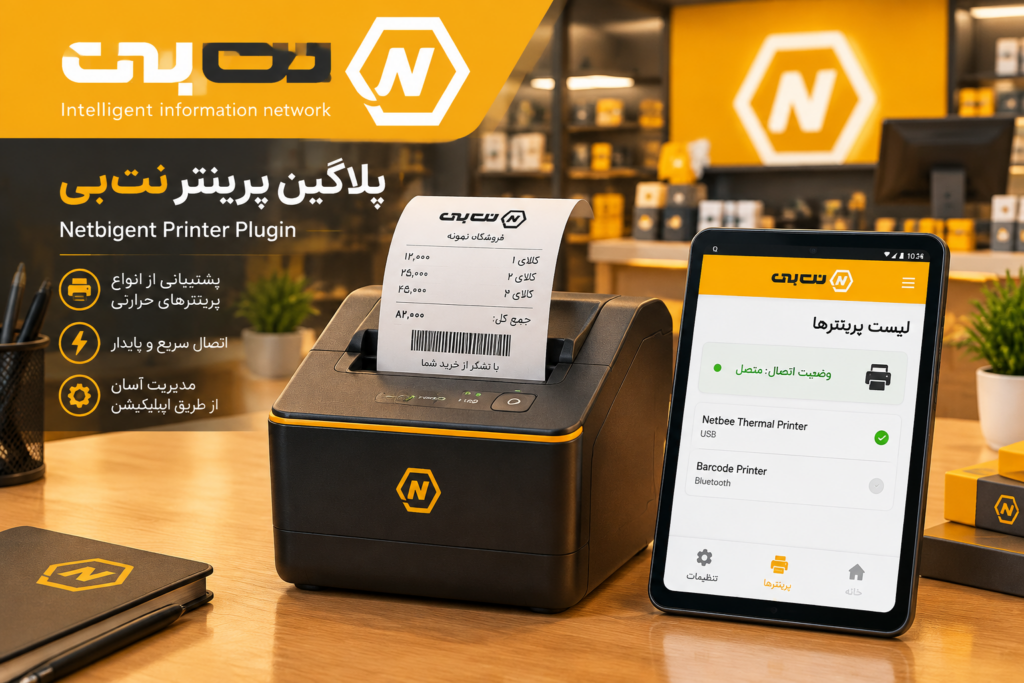
NetBee Printer Plugin: 5 Key Features for Android Print Management
The NetBee Printer Plugin is a specialized, comprehensive tool for Android print management, specifically engineered for POS terminals and Android-based point-of-sale devices. Within the ecosystem of smart POS terminals, printing labels, barcodes, invoices, and receipts is a mission-critical operational task for any business. Retail and financial applications rely heavily on thermal printers and require a stable, secure software infrastructure to prevent connection drops and print failures. This plugin acts as a robust module, resolving these technical challenges at their root.
Why Do You Need the NetBee Printer Plugin?
Printing invoices in retail stores, warehouses, and service centers often faces the following challenges:
- Prevention of Print Failures: Sudden network or USB cable disconnections often cause print commands to fail. Our real-time monitoring system bridges this gap completely.
- Unified Application Integration: Instead of implementing individual drivers for every piece of software, you gain a single, standardized gateway for communicating with various devices.
- Centralized Configuration: All printer settings are managed from a single, organized user panel. For more details on our infrastructure, visit the official NetBee services website.
5 Key Features of the NetBee Android Printer Plugin
1. Support for Industrial Protocols (ESC/POS & CPCL)
The plugin provides native support for the ESC/POS protocol for thermal receipt printers and the CPCL protocol for label and barcode printers.
2. Live Monitoring with Modern MVI Architecture
We monitor the online/offline status of equipment in real-time, ensuring perfect synchronization between the user interface layer and the hardware.
3. Lightweight Internal Web Server
Powered by the Ktor framework, this plugin allows your POS to receive and process print commands directly from external network applications and remote servers.
4. Data Security & Secure Storage
All sensitive data, including network addresses, ports, and device-specific configurations, are stored in encrypted formats within the POS device memory.
5. Intelligent UI with Jetpack Compose
Featuring a modern interface built with Jetpack Compose, adding a new printer takes only seconds—simply input the IP address and connection port.
Technical Architecture of the NetBee Printer Plugin
The system architecture is built on the principle of separation of concerns and modularity, consisting of three main layers:
- Application Layer: The retail software or POS terminal that issues the print command.
- Plugin Layer: Includes the Compose UI, stable Foreground Services, an internal web server, and dependency injection using Hilt.
- Core Printer SDK: Translates commands into hardware language, handling socket network communication and USB driver interfaces for ESC/POS and CPCL protocols.
Step-by-Step Printing Process
- Trigger: The user taps the print/issue button in the application.
- Intent Handling: This interaction is converted into a standard Intent in the UI layer and passed to the ViewModel.
- Core Processing: The core system processes the data and sends it directly to the thermal printer buffer.
- Feedback: The final status (Success or Error, such as “Out of Paper” or “Printer Door Open”) is immediately displayed to the user.
Management Panel & Monitoring Tools
- Global Status Dashboard: Instant view of print system performance and recent errors.
- Real-time Printer List: Monitor the connection status of each device with pull-to-refresh updates.
- Add/Edit Form: Configure new printers via USB or local network.
- Advanced Settings: Customize web server ports and background service parameters.
FAQ
Q: Which protocols does the NetBee Printer Plugin support?
A: It supports ESC/POS for thermal receipt printers and CPCL for label and barcode printers.
Q: How does the printer connect to the POS device?
A: It supports both USB cable connections and local network (LAN/Wi-Fi) connections.
Q: How long does it take to add a new printer?
A: It takes only a few seconds; just input the IP address and port.
Q: Is printer configuration data secure?
A: Yes. All addresses, ports, and specialized settings are stored in an encrypted format within the POS memory.
Q: Can I send print commands from other software?
A: Absolutely. The plugin’s internal web server allows it to receive print commands from external network applications and remote servers.
Conclusion
The NetBee Printer Plugin is a reliable, stable solution for developers building retail, restaurant, and enterprise applications. By supporting industry standards and resolving connectivity issues, it guarantees speed and efficiency in Android print management. For more information or technical consultation, please contact the NetBee team.